
1. Core organization information
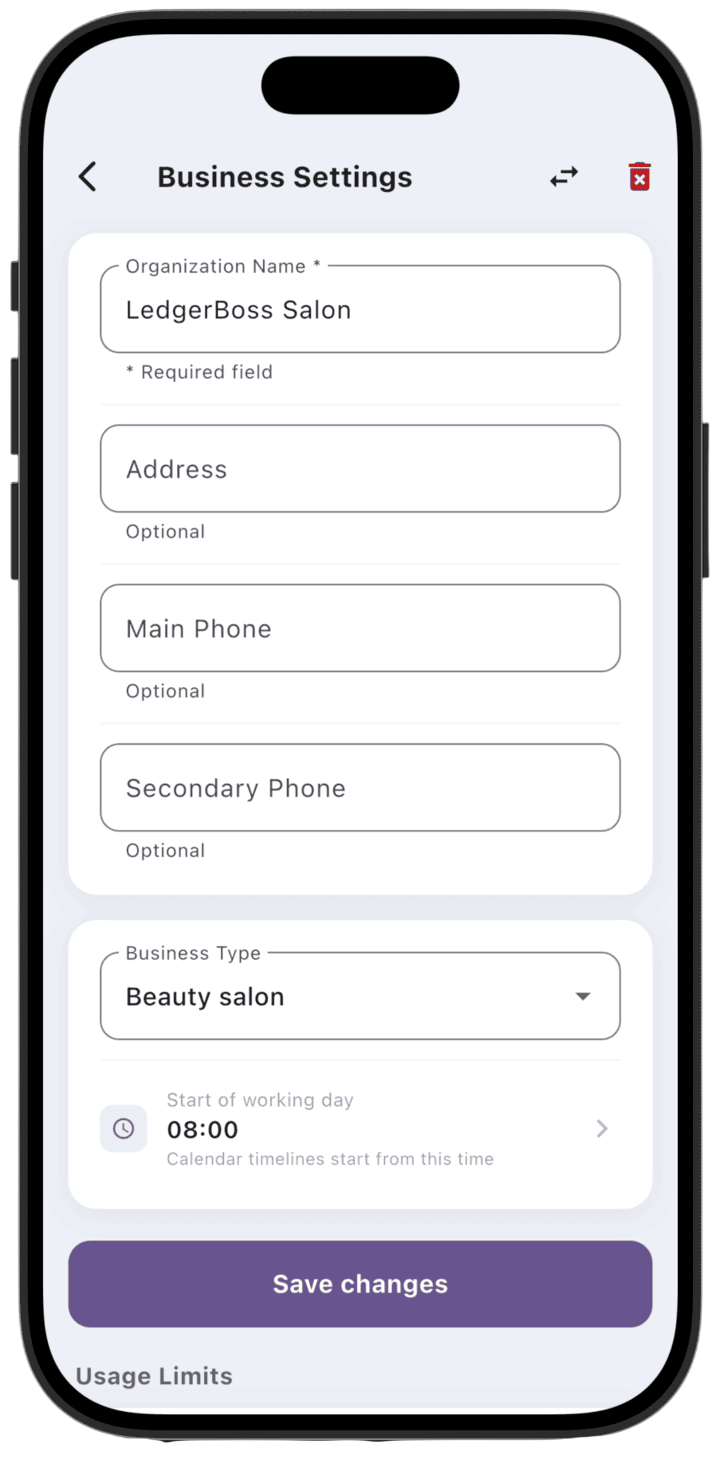
At the top of the screen you can update data used throughout the system:
Organization Name: required field to identify your business.
Address and phones: optional fields for client contact.
Business type: select your industry (for example, beauty salon).
Start of working day: set the time from which time scales are shown in the calendar.
Important: after making changes, tap Save changes to apply settings.
2. Usage limits
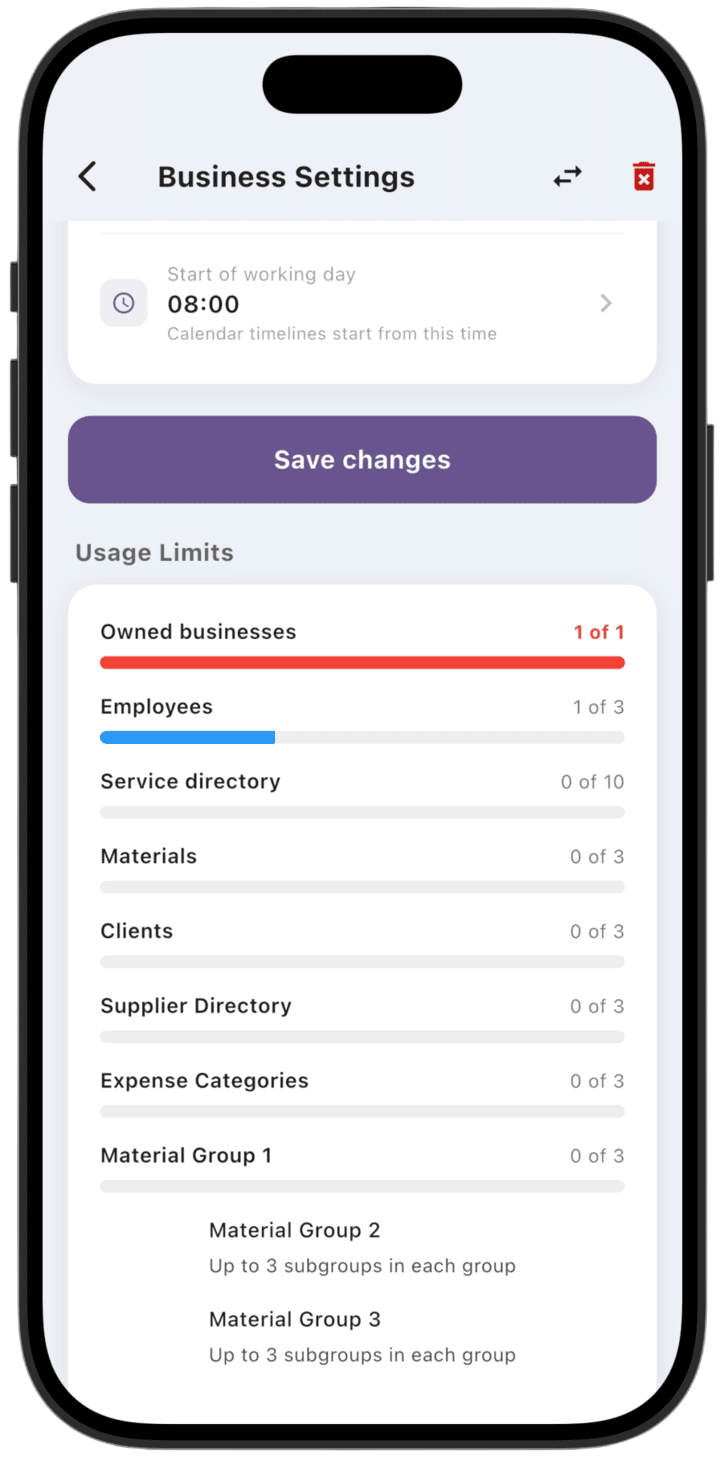
This section shows current consumption of your plan resources:
Visual indicators (progress bars) show usage for categories such as employees, clients, service directory, materials, suppliers, and expense categories.
You can track available slots (for example, "2 of 500 clients") and plan subscription upgrades in time.
3. Business roles (specializations)
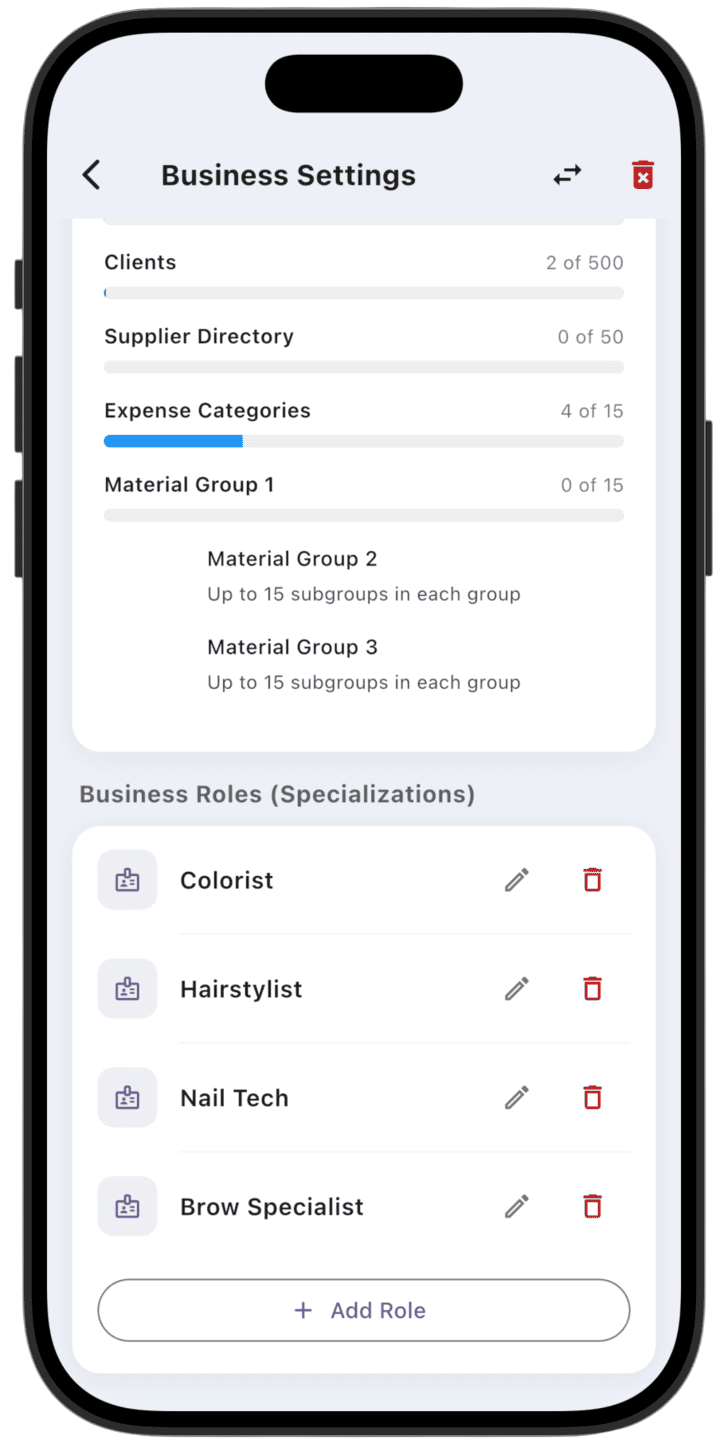
This section lets you configure flexible employee roles that match your business services (for example, "Colorist", "Stylist", "Nail technician"):
Edit and delete: use the icons next to a role name to change or remove a specialization.
Add new roles: use + Add Role to create a new specialization in your salon.
Note: the top bar also offers options to transfer the business to another owner and delete the current business (trash icon).