
Deleting an account
This feature permanently removes your user account from LedgerBoss: your profile, authentication data, and related account records in the system.
Where to find it
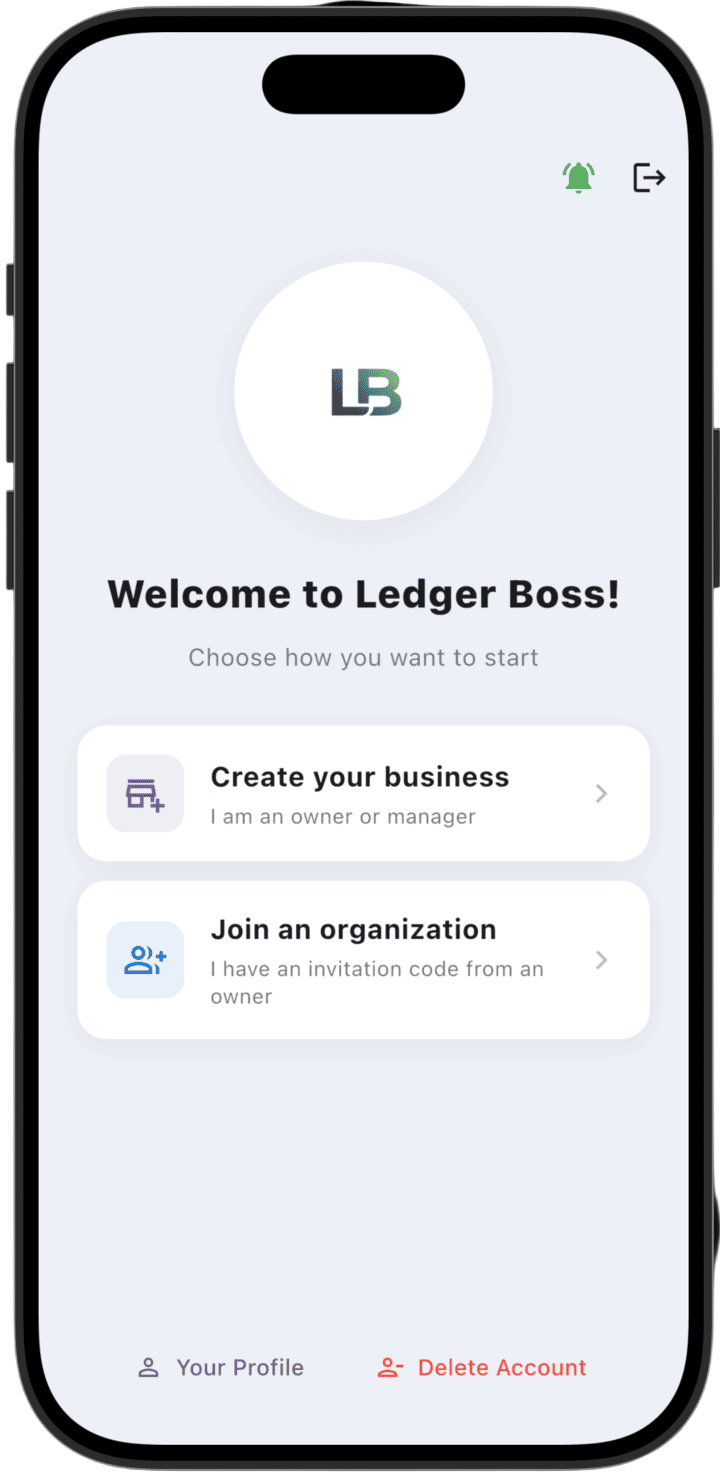
- On the Welcome screen — tap Delete Account at the bottom.
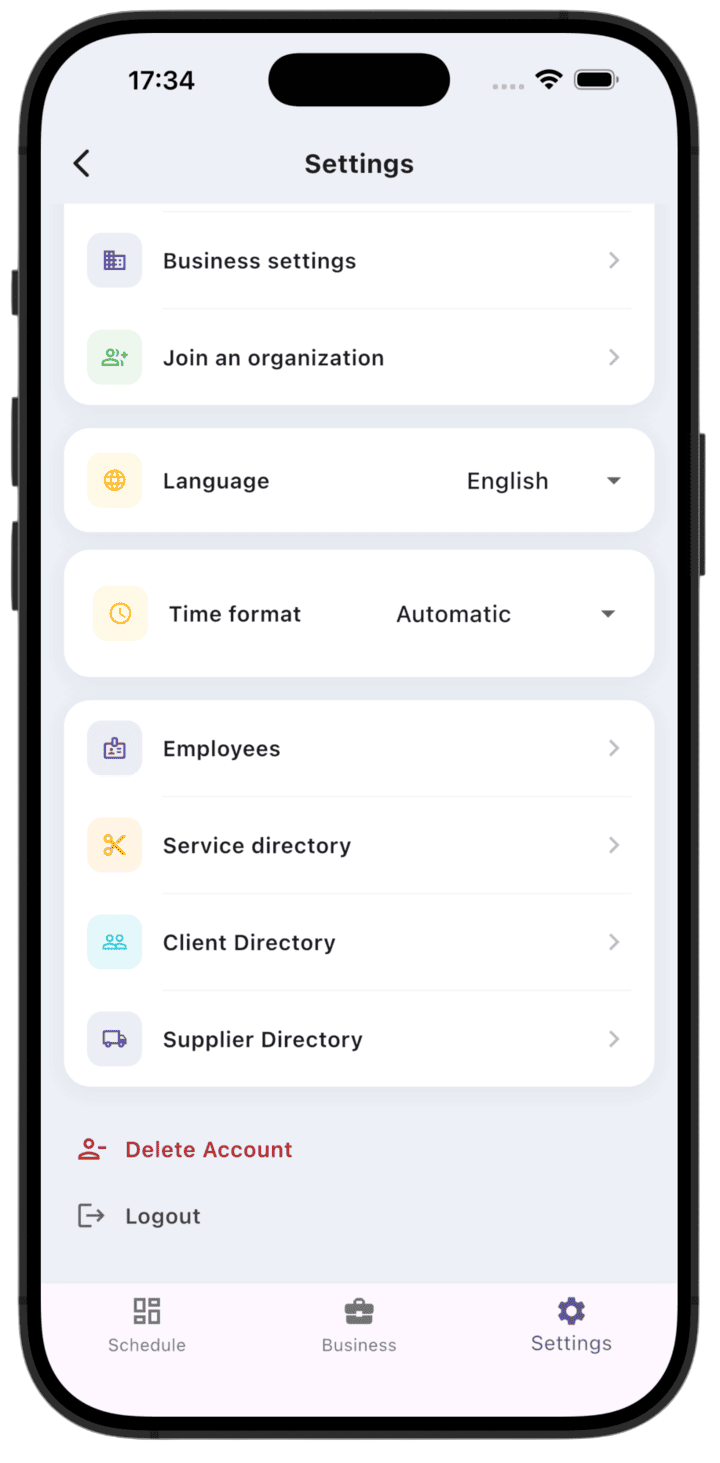
- In Settings — tap Delete Account at the bottom of the screen.
Required condition
Before deleting your account, you must delete all businesses you own. If you still have owned organizations, the app shows Please delete the business first and does not let you continue.
If you are connected to someone else's business as an employee, deleting your account unlinks your profile from that organization and clears personal data in your employee card.
If you are connected to other businesses
If your account was linked to organizations owned by others (as an employee, admin, or accountant), your personal data in those businesses will be cleared after account deletion:
- the employee card shows Account deleted instead of first and last name;
- phone, email, and profile photo are removed;
- the link between your account and the business is removed.
The employee card itself and operation history in the business are preserved — only the deleted user's personal data changes.
How to delete
- Tap Delete Account.
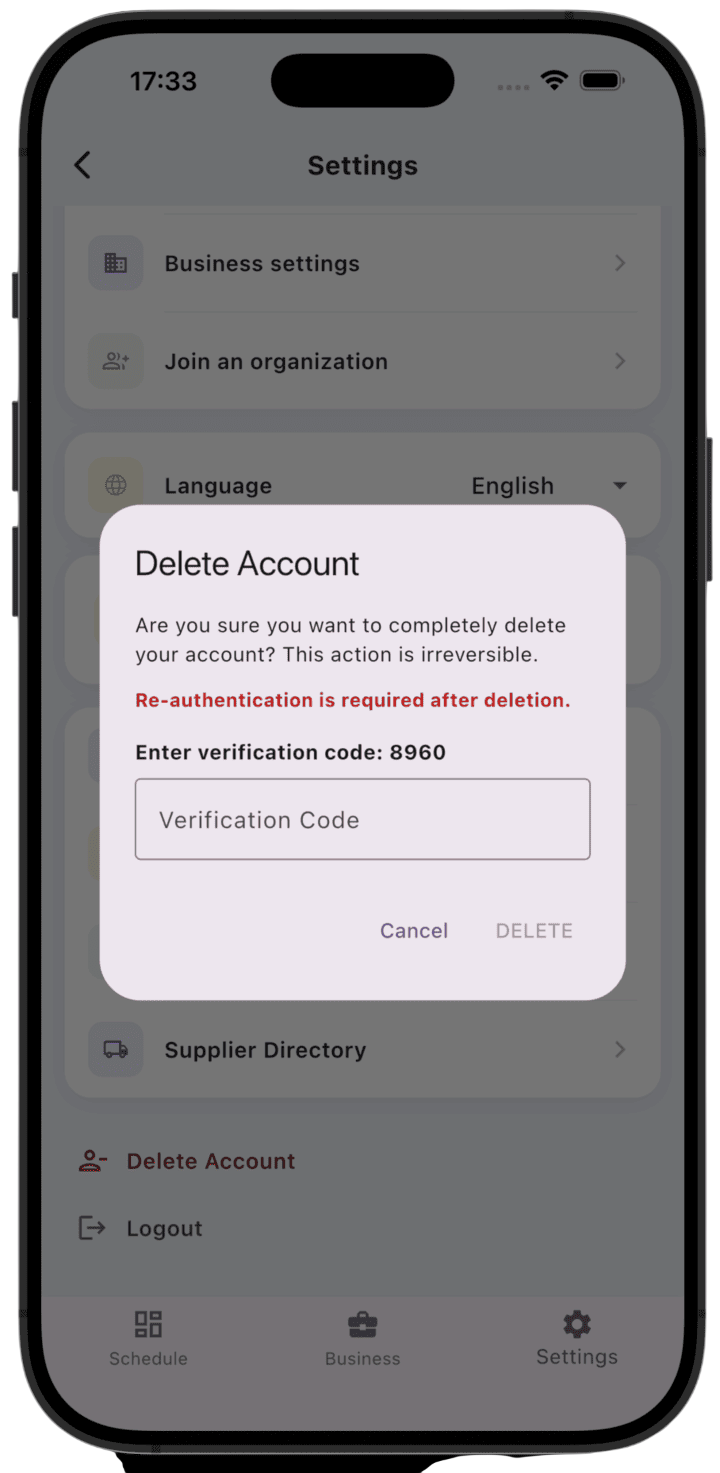
- Confirm the action in the dialog.
- Enter the four-digit verification code shown on screen.
- Complete re-authentication — with password, Google, or Apple (depending on how you sign in).
After successful deletion you are signed out automatically. To sign in again you will need to register a new account.
Important: account deletion is irreversible. All personal user data is permanently removed and cannot be restored.