
Staff Efficiency report
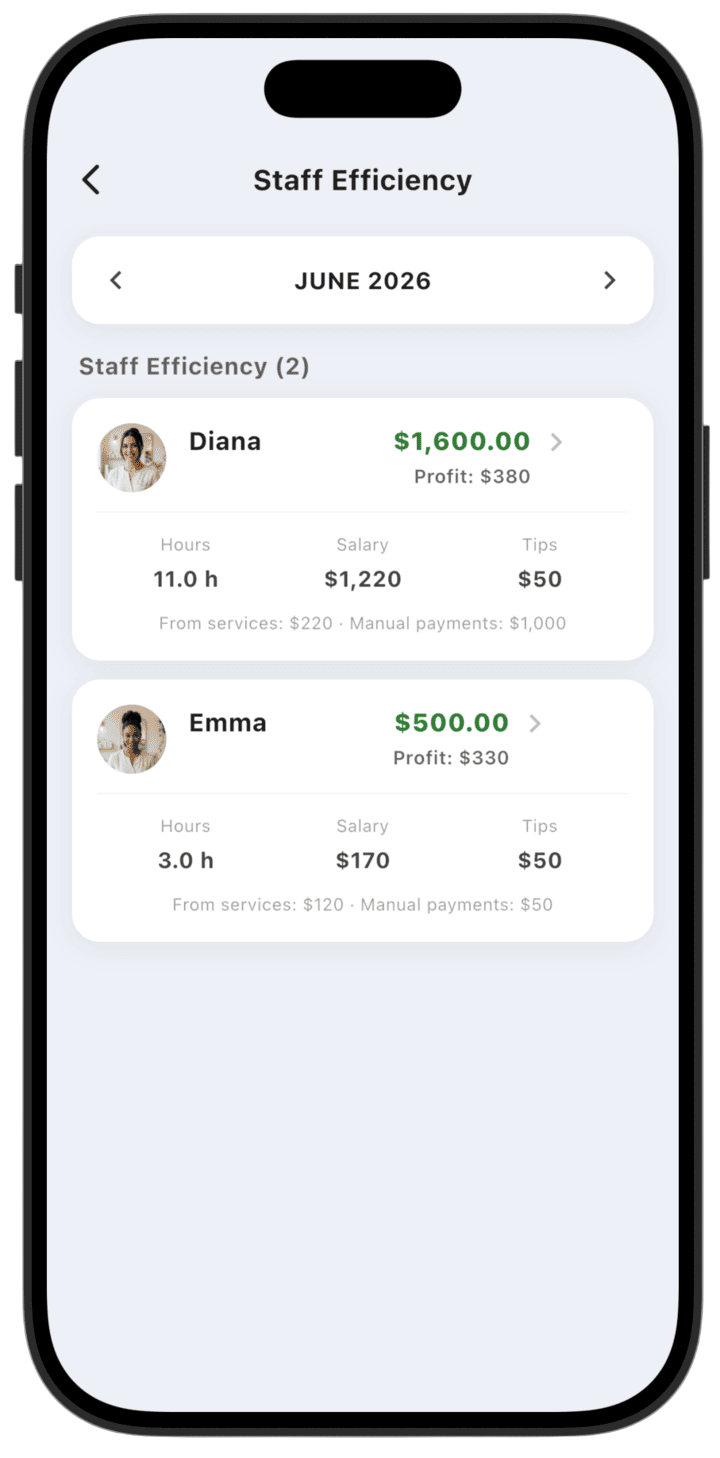
This report lets the business owner evaluate each employee's performance individually with key productivity metrics and each specialist's contribution to profit.
What the report shows
- Summary metrics: Total revenue generated by the employee and net Profit for the business.
- Labor detail: Total Hours worked, Salary accrued, and Tips received.
- Revenue sources: Revenue split between From services and Manual payments.
How to use the report
- Select period: Use the arrows at the top to switch reporting months.
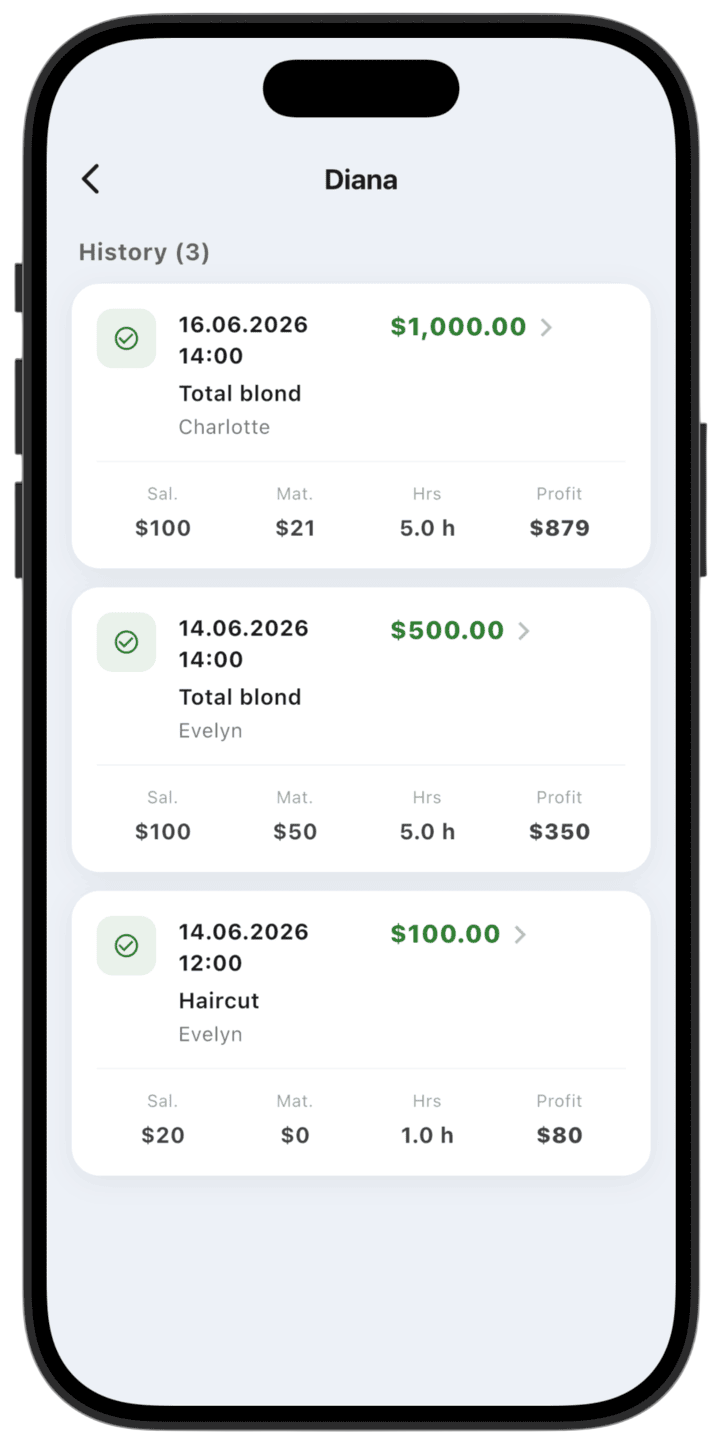
- Analyze an employee: Tap an employee card to open a detailed operation history.
- Operation history: In the employee card you see completed orders per deal: specialist salary (Sal.), material cost (Mat.), hours (Hrs), and Profit.
Use this report for bonus decisions, schedule optimization, and assessing each specialist's profitability.
Please note: this report shows demo data so you can explore LedgerBoss analytics. After you add real transactions, reports update automatically.