
Supplier Report
* All supplier names and financial figures in this report are demo data and do not represent real counterparties.
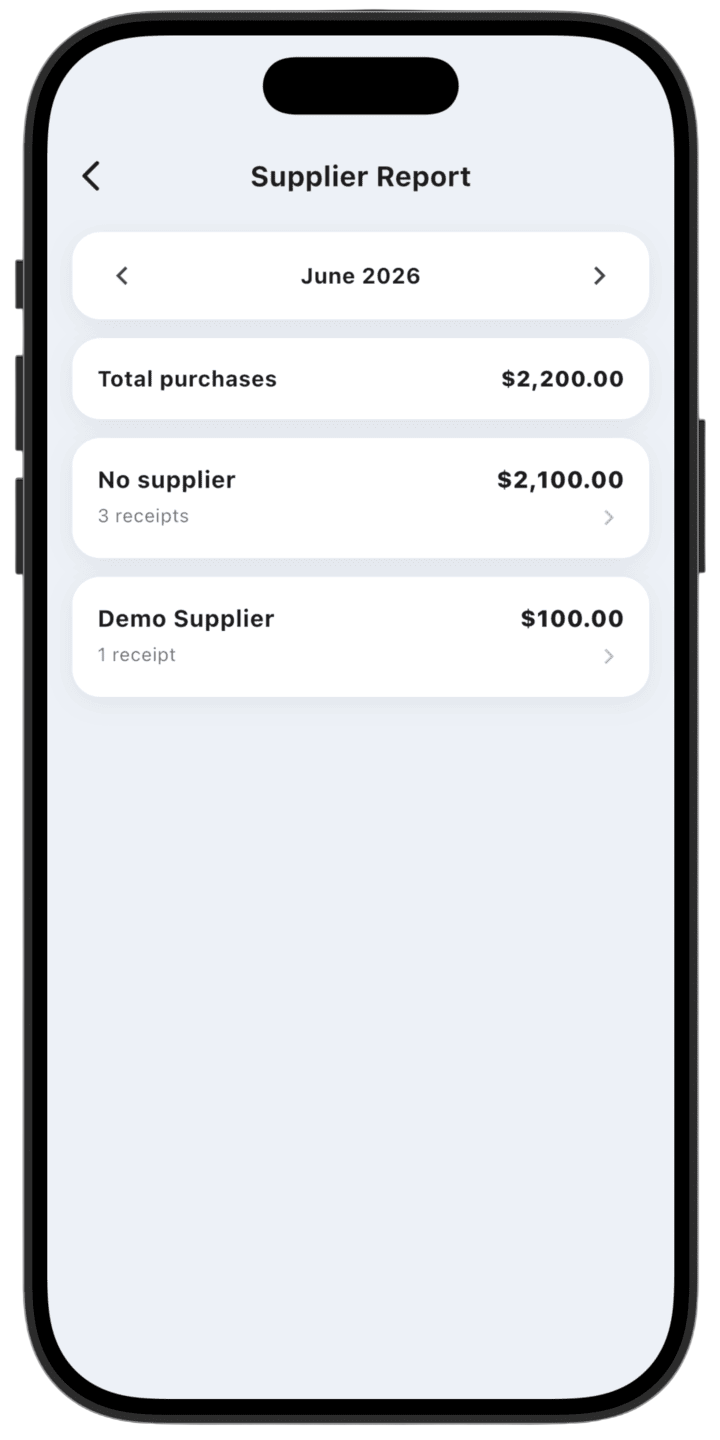
Supplier Report organizes material purchases and analyzes relationships with your vendors.
What the report shows
- Total purchases: Sum of all material purchases in the selected period.
- By supplier: Spend distribution per counterparty, plus a No supplier category when no supplier was recorded.
- Operation count: Number of receipts per supplier to gauge interaction frequency.
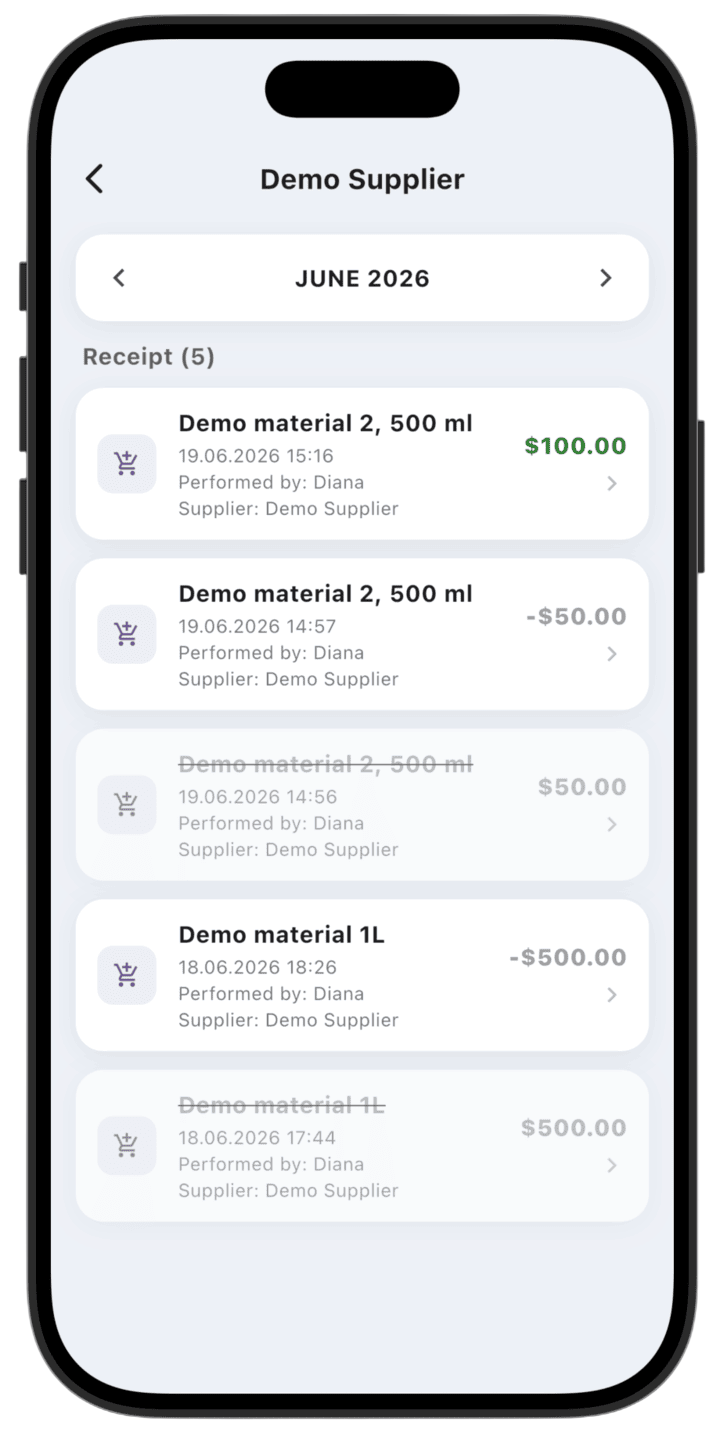
- Purchase history: Detailed log of transactions — materials, dates, responsible employees, and suppliers.
How to use the report
- Select period: Use the arrows at the top to switch reporting months.
- Analyze a supplier: Tap a supplier card (or No supplier) to open all related transactions.
- Detail view: Inside a supplier card you see purchase chronology — material name, volume, date, and employee who posted the operation.
- Data quality: Regular review helps track purchase spend structure and spot operations without a recorded supplier.