
Materials in Stock report
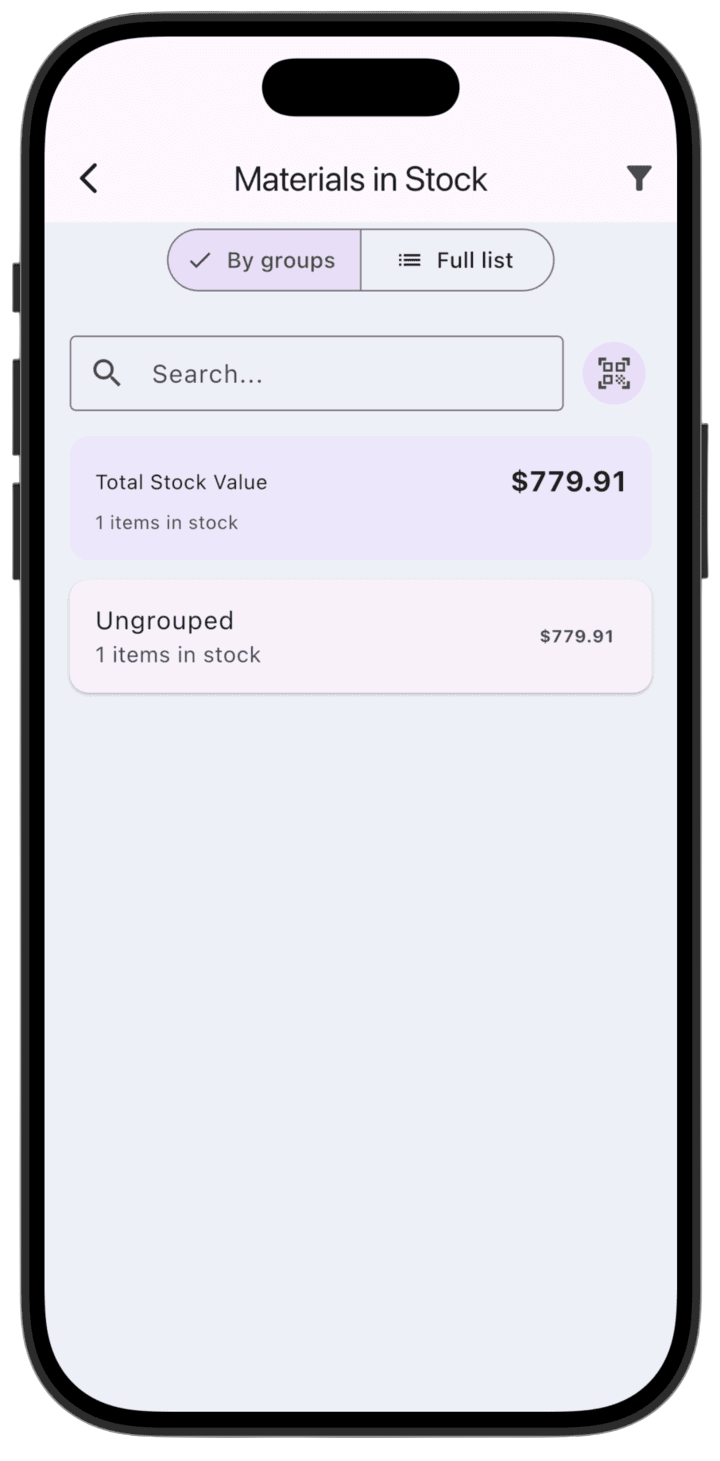
This report is for monitoring material balances and managing warehouse stock. It lets the owner see current warehouse value, available quantities, and movement history.
What the report shows
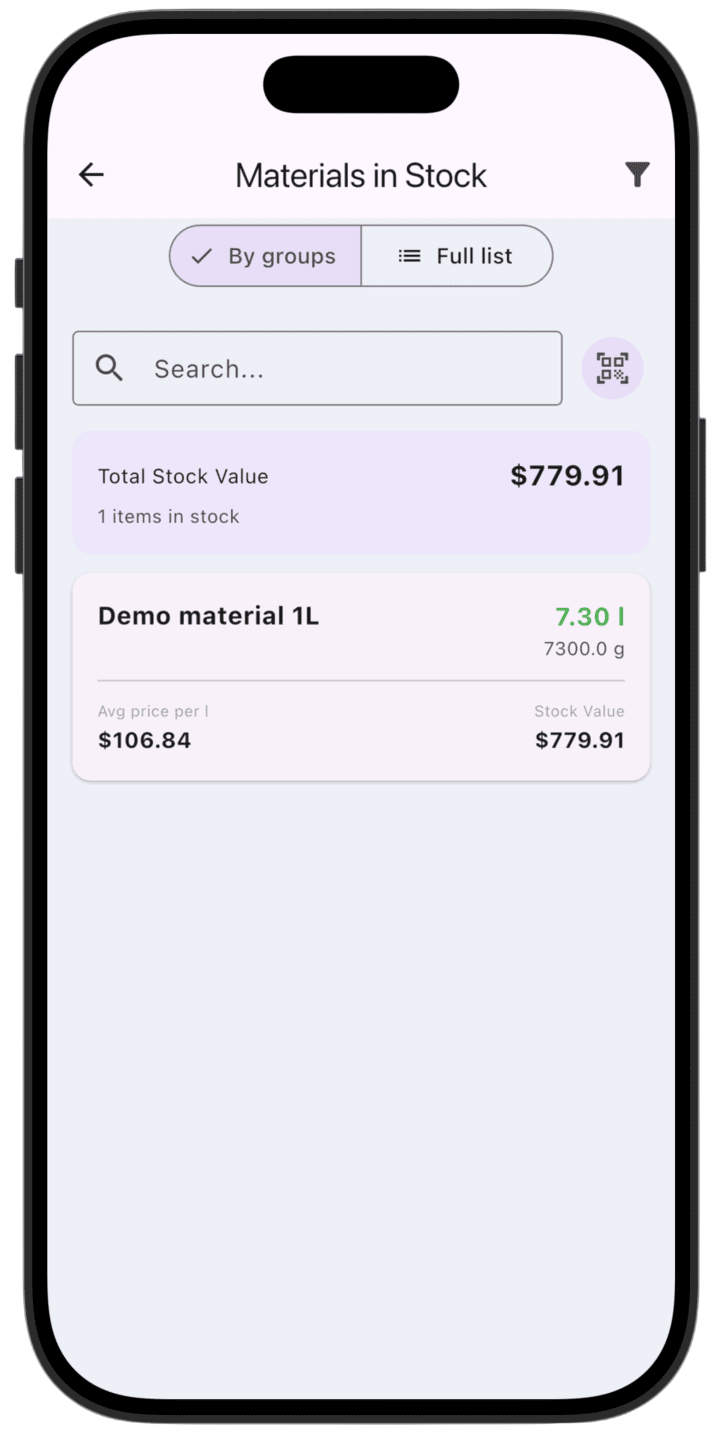
- Value control: Total value of all materials in stock (Total Stock Value).
- Grouping and search: View materials as a full list or by groups; find items via search or QR scanner.
- Detail: Average consumption (for example per liter or gram) and current warehouse value per material.
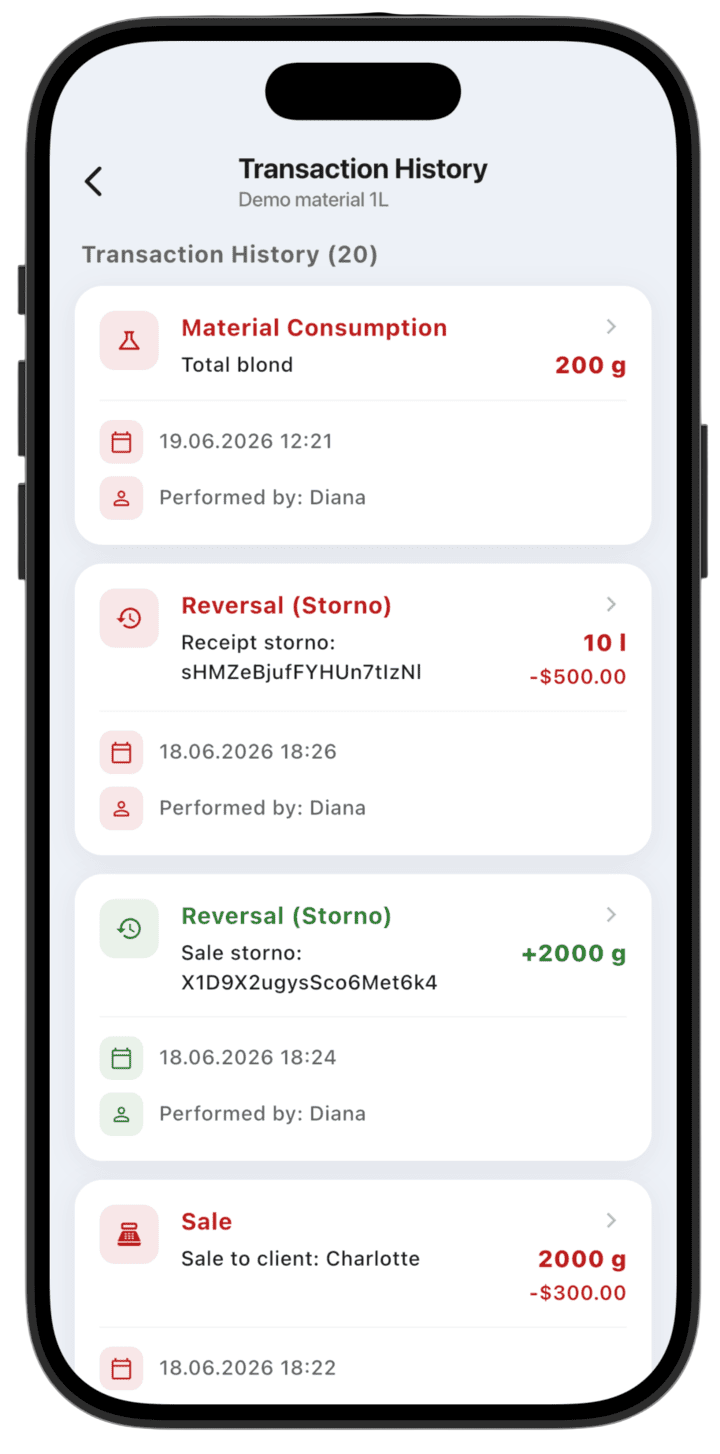
- Transaction history: A detailed log per material including purchases, consumption, and storno (reversal) operations.
How to use the report
- View balances: Choose By groups or Full list for an overview.
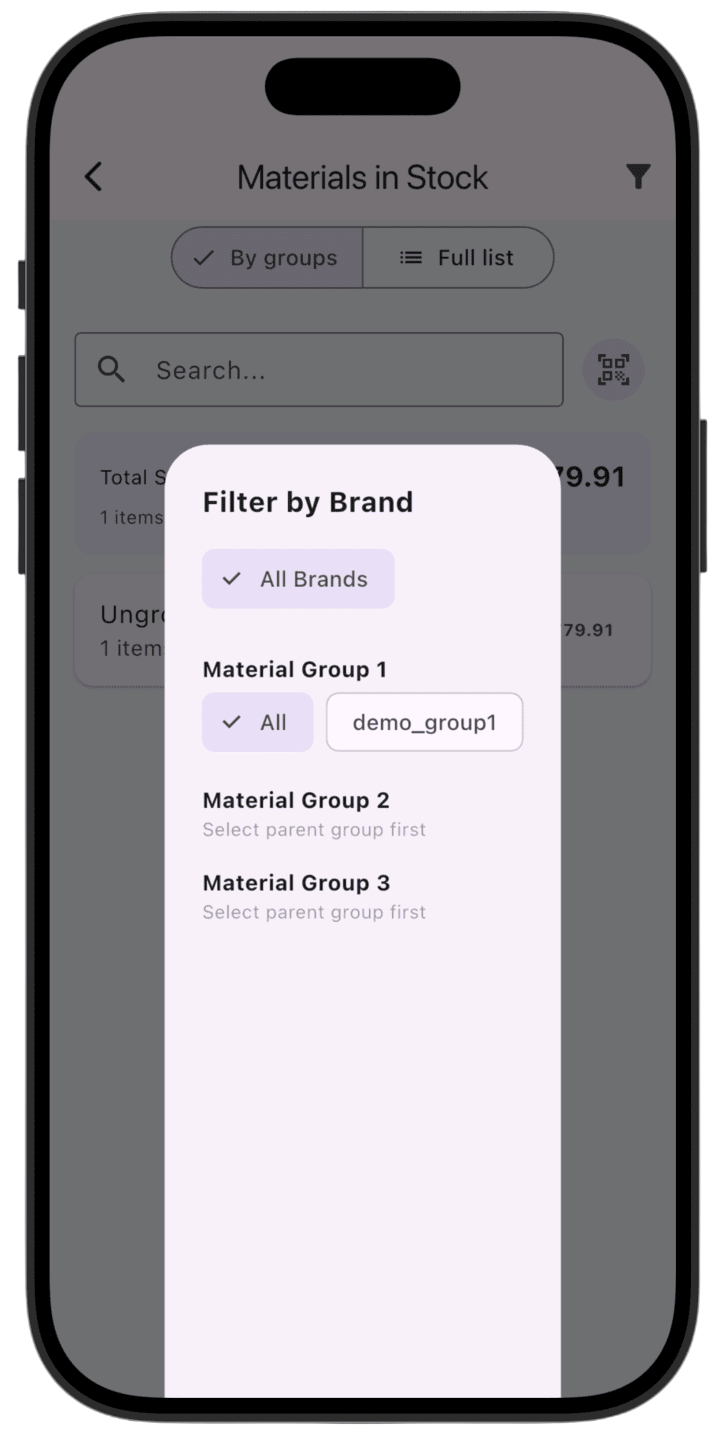
- Search and filter: Use Search to find a material. Tap the filter icon in the top-right to filter by brand or product groups.
- Analyze movement: Tap any material to open its card and go to Transaction History — consumption, sales, and storno entries show where and when material was used.
- Management: Check Total Stock Value regularly to control capital tied up in inventory.
Please note: this report shows demo data so you can explore LedgerBoss analytics. After you add real transactions, reports update automatically.