
Client History report
* All names, photos, and financial figures in this report are demo data and do not represent real clients.
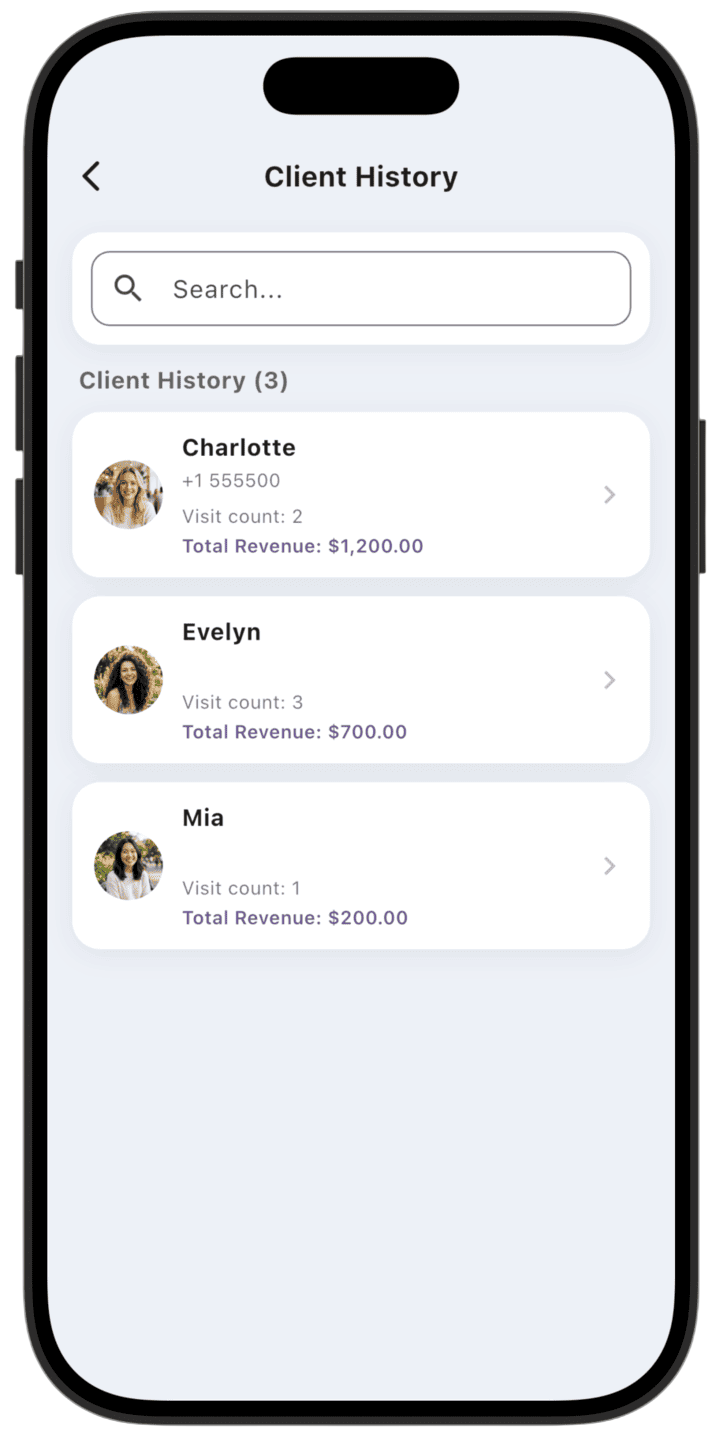
Client History helps you manage your client base and analyze loyalty — visit history, visit frequency, and total revenue per client.
What the report shows
- Base overview: All clients with Visit count and Total Revenue per client.
- Contact info: Phone number for quick identification.
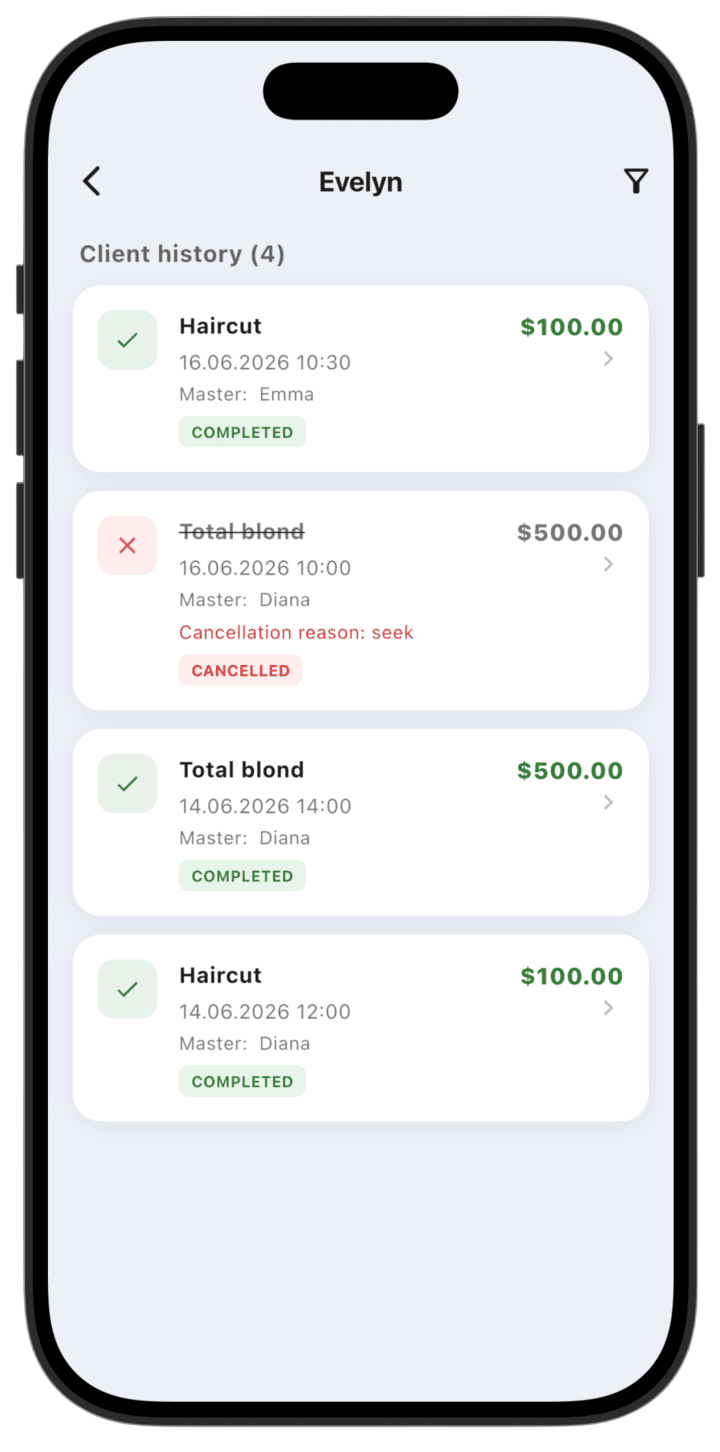
- Visit history: Chronological log of visits per client — services, dates, responsible specialists, and status.
- Transaction status: See which services were Completed and which were Cancelled, with cancellation reason when applicable.
How to use the report
- Search: Use Search at the top to find a client by name or phone.
- Analyze a client: Tap any client card to open their visit log.
- Filter: Inside a client card, use the filter icon in the top-right to sort visits or show specific operation types.
- Loyalty: Review Visit count and Total Revenue to identify regular and high-value clients.